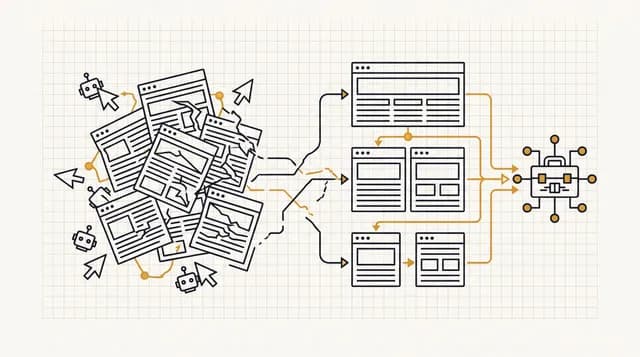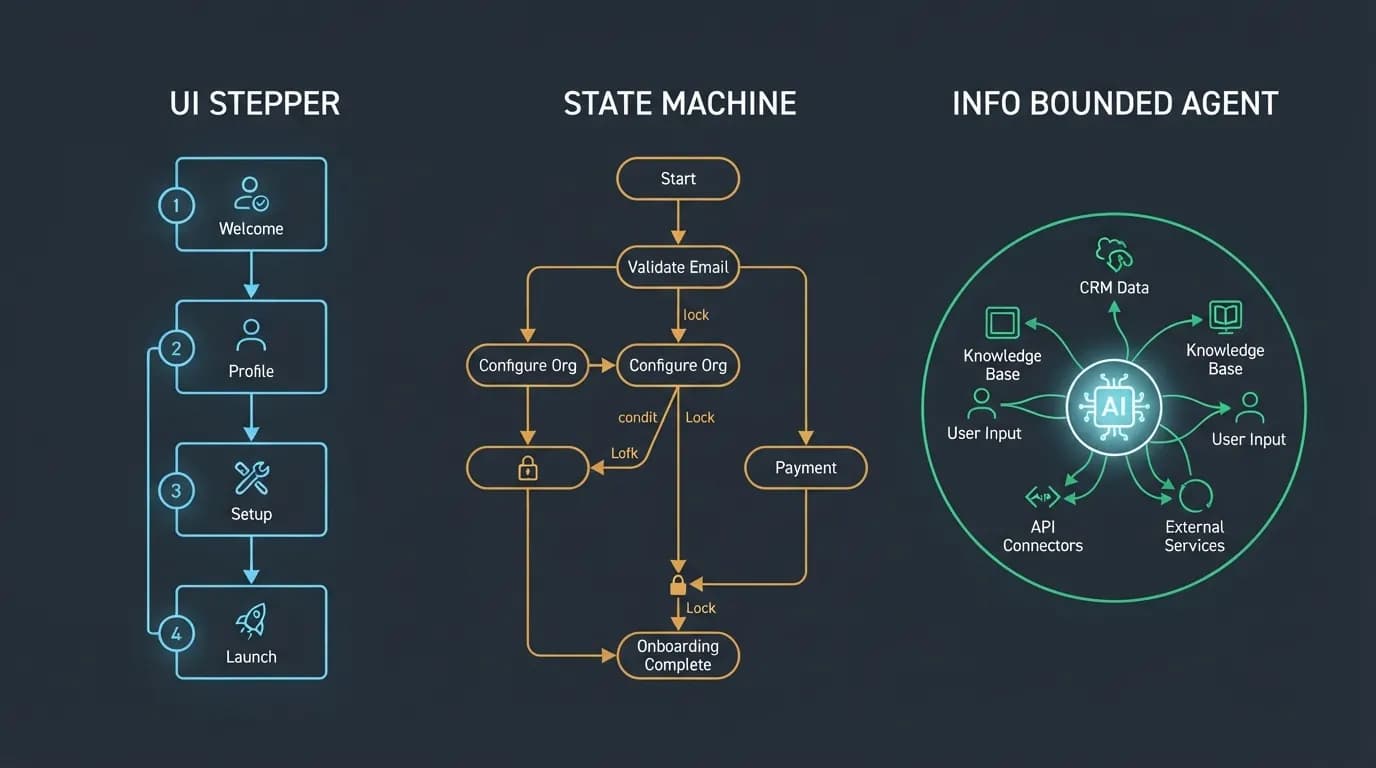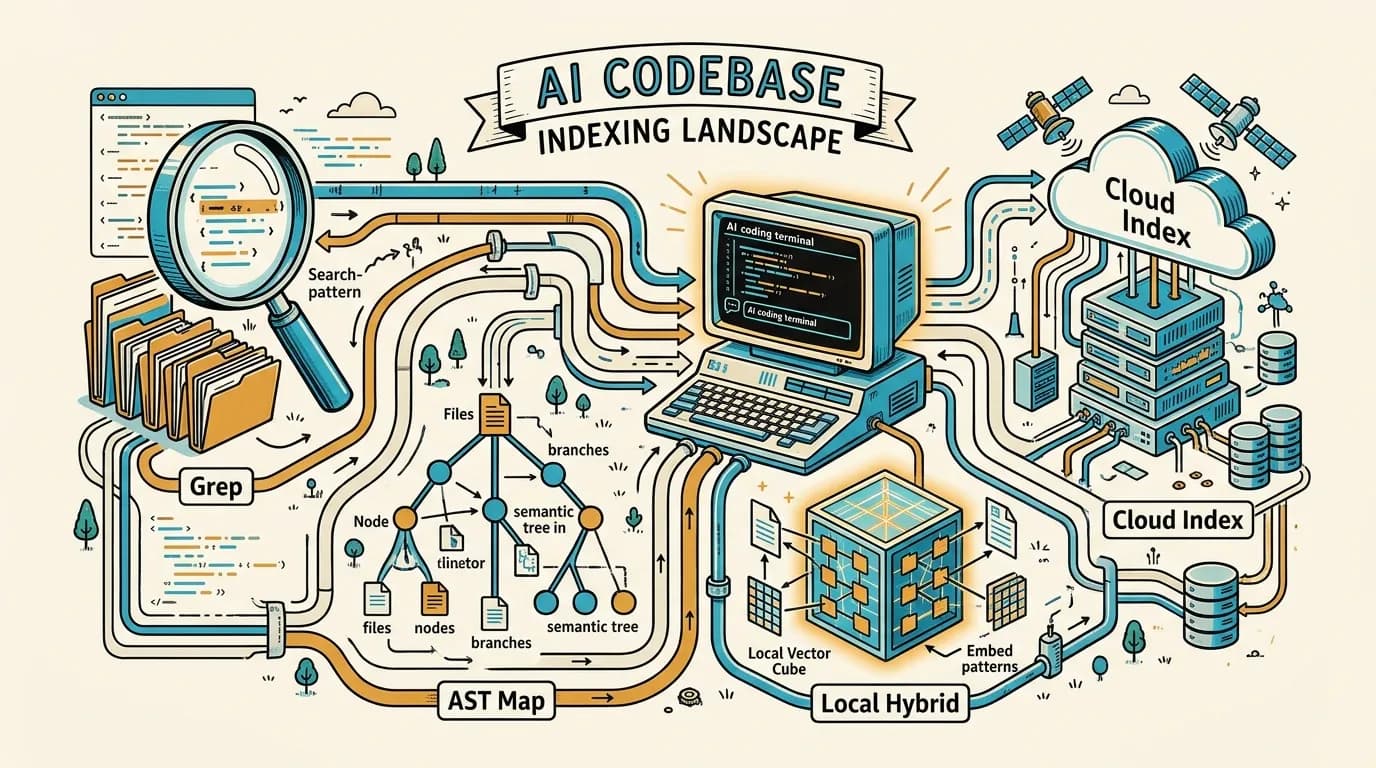

Every AI coding tool promises to understand your entire repository in seconds, yet most developers still watch their agent burn thousands of tokens reading the wrong files after a fresh session reset. The problem is rarely that the model is weak. It is that codebase indexing in 2026 has split into four competing architectures, and picking the wrong one for your repository size quietly wrecks both latency and token efficiency.
I wanted to map out the real landscape of codebase indexing tools today, without the vendor hype. Whether you live inside an AI IDE, run terminal harnesses like Claude Code or Codex CLI, or wire up Model Context Protocol (MCP) servers, every approach carries concrete trade-offs that only show up once you ship real code.
Codebase indexing is not free context. Every vector index, symbol map, or MCP server injects tool schemas and retrieval overhead into your prompt prefix before the model writes a single line of code.
Why Blind Codebase Indexing Backfires
When you open a fresh terminal session or hit /clear after a long debugging run, your agent starts on a cold prompt. If you have an aggressive indexing stack attached, the agent does not just start with your question; it starts with dozens of injected tool definitions, system instructions, and speculative file chunks.
On large monorepos, that upfront cost pays for itself because it prevents the model from wandering blindly through thousands of directories. On smaller projects, however, loading a heavy semantic index creates a fixed tax on every turn that often costs more tokens than simply searching the files directly [1].
⚠ Adding a 15+ tool MCP indexing server to a small repository can add thousands of tokens to your system prefix on every cold prompt, eating into the exact token budget you were trying to save.
The Four Codebase Indexing Architectures Today
Almost every codebase search and indexing tool in 2026 falls into one of four buckets: IDE-native cloud indexers, agentic CLI retrieval harnesses, external MCP semantic/AST servers, and lightweight repo mappers. Understanding which bucket a tool belongs to tells you immediately where it will shine and where it will trip.
1. IDE and Cloud-Native Indexers
IDE-native tools index your repository in the background and hide the retrieval plumbing behind your editor's chat panel. They feel effortless when they work, though their abstractions leak as soon as you switch branches rapidly or work on sensitive codebases.
- Cursor: Cursor computes a local Merkle tree of file hashes, syncs changed chunks, and stores embeddings in Turbopuffer for semantic search [2]. Caveat: Semantic chunking often misses cross-file call graphs during multi-file refactors, and the index relies on cloud vector infrastructure.
- Windsurf Fast Context: Windsurf pairs its editor with a specialized SWE-grep style subagent that runs parallel file and symbol searches on demand [3]. Caveat: It is tightly coupled to the Windsurf IDE, and parallel subagent hops can still add noticeable latency on deep monorepos.
- Augment Code: Augment builds a deep, dependency-aware cloud index tuned for large multi-repo enterprise codebases [4]. Caveat: Pricing and cloud-upload requirements make it overkill for solo builders or small client repositories.
- Sourcegraph Cody: Cody combines SCIP precise code intelligence with keyword and embedding search across massive repositories [4]. Caveat: Running and maintaining full Sourcegraph infrastructure is heavy if you only manage a handful of services.
- GitHub Copilot: Copilot maintains remote repository indexes on GitHub alongside local workspace indexing in supported editors [5]. Caveat: Remote indexes can lag behind rapid local uncommitted edits, and retrieval tuning options remain limited.
Cloud IDE indexers optimize for convenience, not transparency. When an embedding search returns a stale or irrelevant chunk, you rarely have fine-grained control over why that file was ranked first.
2. CLI and Agent-Native Retrieval Harnesses
Terminal-first coding agents took a very different bet in 2026: skip the persistent vector database altogether and let the model drive fast local search tools directly. Tools like Claude Code and OpenAI Codex CLI rely on agentic retrieval using ripgrep, glob, and targeted file reads [6].
The upside is zero index staleness and zero background sync daemons. The caveat is that unguided agentic exploration can spiral into dozens of sequential tool calls if you let a frontier reasoning model do all the searching itself, especially right after a prompt-cache reset [6, 7].
Meanwhile, Aider pioneered a middle ground with its Tree-sitter RepoMap, which parses symbol definitions and ranks the most referenced files using PageRank within a strict token budget [8]. Caveat: A static token cap on the repo map means dynamic dispatch, runtime conventions, and deeply nested config wiring can still fall outside the map.
[?] Vector search is not always smarter than
ripgrep. When you already know a symbol name or error string, exact lexical search beats approximate embeddings on both speed and accuracy [6].
3. MCP Codebase Indexers and Semantic Servers
The Model Context Protocol unlocked a wave of standalone indexing servers that plug into any MCP-compatible client. On paper, this gives you portable semantic search across editors and CLIs; in practice, each server brings its own infrastructure footprint and schema overhead.
- SocratiCode: Combines Tree-sitter AST parsing with Qdrant vector storage and Ollama embeddings for local or hybrid semantic search over MCP [9, 10]. Caveat: Exposing 15+ MCP tools adds noticeable prefix token overhead on small repos, plus you own the local Docker, Qdrant, and Ollama footprint. (I covered how I pair it with a boundary-driven workflow in my SocratiCode deep dive.)
- CocoIndex Code (
ccc): Focuses on incremental AST chunking and low-token vector retrieval to cut coding agent token burn [11]. Caveat: Younger ecosystem with extra local setup compared to built-in CLI search. - Serena: Uses Language Server Protocol (LSP) backends over MCP so agents can jump to definitions and find references like an IDE. Caveat: Requires healthy, configured language servers for every language in your stack and carries slower cold startup times.
- ArgosBrain: Combines persistent project memory with graph-based code indexing [12]. Caveat: Introduces another stateful background layer you must keep synchronized with branch switches.
@code-indexer/mcp: An npm-packaged MCP server for local chunking and vector search [13]. Caveat: Requires managing embedding model configuration and watching for re-indexing lag after large pulls.
ⓘ Every MCP server you attach competes for two scarce resources: your prompt prefix budget and the model's tool-selection accuracy. Attach only the servers your current repo size actually justifies.
4. Lightweight Mappers, Packers, and Local Search MCPs
Between heavy vector databases and raw grep lies a useful tier of lightweight mappers and packers. They skip embeddings completely and focus on structural compression or fast lexical filtering.
- jCodeMunch and RepoMapper: Extract compact AST symbol outlines so the model sees signatures without reading full file bodies [14]. Caveat: Without semantic search, the model still has to infer intent from symbol names alone.
- Repomix: Packs an entire repository or directory subset into a single structured XML or Markdown payload [15]. Caveat: Great for small libraries or focused modules, but it rapidly blows past practical context limits on medium and large codebases.
- Ripwire: Provides a lightweight local code-search MCP wrapper designed for fast, low-overhead retrieval [16]. Caveat: Narrower call-graph and cross-file dependency awareness than full LSP or SCIP indexers.
Why Small Codebases Should Skip Heavy Indexing
If your repository sits under 50,000 lines of code, spinning up Qdrant, Ollama, or a multi-tool MCP indexer is usually a net loss. Standard grep and glob tools have a tiny footprint, zero sync lag, and no schema bloat.
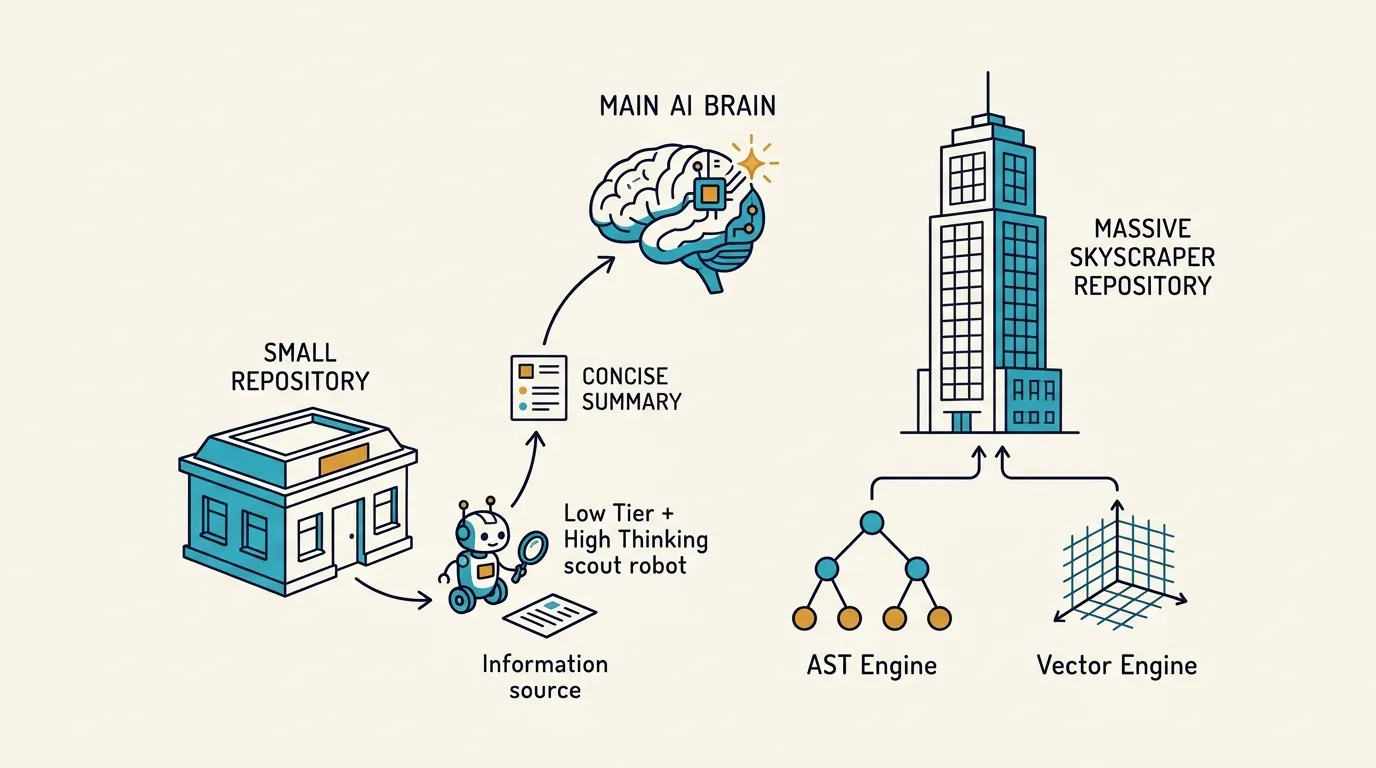
For smaller codebases that do not profit from full vector indexing, I have also been working on a different approach: lightweight in-repo fuzzy search and local index building that lives right inside the repository with almost zero token tax. I will share a dedicated breakdown of how that small-repo fuzzy index works in an upcoming post.
✦ Match the tool to the repo size. Under 50K lines of code, fast
grep,glob, and a lightweight in-repo fuzzy index beat heavyweight vector MCPs almost every time.
Pairing a Low-Tier Agent with High Thinking for Search
Even when grep and glob are the right tools, letting your primary frontier model run 15 exploratory searches in its main context window is wasteful. Those raw file snippets and directory listings sit in your conversation history and inflate every subsequent turn.
A much cleaner pattern is delegating codebase discovery to a low-tier model paired with high thinking (reasoning effort). The low-tier scout agent costs a fraction per token, uses its high thinking budget to plan smart grep and glob queries across your repo, reads the noisy files inside its own isolated context, and hands back only a tight, verified output summary to your main orchestrator agent.
Offloading raw codebase search to a low-tier, high-thinking subagent keeps your main orchestrator's context window clean while cutting discovery token spend dramatically.
Prompt-Cache TTL Math and Context Hygiene
Great indexing still fails if your session hygiene breaks prompt caching. Anthropic's prompt caching uses a 5-minute default TTL (with an optional 1-hour tier at higher write cost), while OpenAI's prompt caching typically persists for 5 to 10 minutes of inactivity (and up to an hour or 12 hours on eligible tiers) [7, 17, 18].
If you pause for six minutes to review a diff on a 5-minute TTL, your entire cached prefix expires and the next prompt pays full cache-write rates again [7]. To stay fast and predictable, keep your active session lean using the /handoff and /pickup pattern paired with /clear whenever context reaches 40% to 60% capacity [19]. Wrap noisy CLI test runners and build scripts so they only print failing lines, preventing terminal spam from evicting useful code context [20].
✦ Indexing gets you the right files, but resetting cleanly with
/handoffand/clearat 40% to 60% capacity is what keeps your prompt cache cheap and your agent sharp.
Picking the Right Stack for Your Repo
| Repo Profile | Best Retrieval Stack | Watch Out For |
|---|---|---|
Small repo (<50K LOC) | Native grep/glob + low-tier high-thinking scout | 15+ tool MCP prefix bloat on cold prompts |
Medium app (50K to 250K LOC) | RepoMap / ccc / SocratiCode + /handoff hygiene | Stale Docker/vector indexes across branches |
Large monorepo (250K+ LOC) | IDE cloud indexers (Cursor, Augment, Cody) | Cloud privacy policies and cross-file call gaps |
If you are refining your own agentic setup, you can also see how this fits into my broader multi-harness agentic coding workflow. Pick the lightest indexing layer that fits your codebase today, keep discovery isolated in a cheap high-thinking scout, and protect your prompt cache like it is part of your architecture.
References
- Agentic Retrieval Without Indexing - VectifyAI
- How Cursor Actually Indexes Your Codebase - Towards Data Science
- Windsurf Fast Context Documentation
- Augment Code vs Sourcegraph Cody Enterprise Comparison
- Indexing Repositories for Copilot Chat - GitHub Docs
- How Prompt Caching Actually Works in Claude Code
- Prompt Caching Documentation - Anthropic
- The Repository Map Pattern - Agent Patterns
- SocratiCode Official Site
- SocratiCode GitHub Repository
- Cut Coding Agent Tokens with CocoIndex Code
- ArgosBrain vs Aider Comparison
- @code-indexer/mcp Package on npm
- jCodeMunch vs RepoMapper Comparison
- Repomix MCP Server Guide
- Ripwire GitHub Repository - Red Hat Emerging Technologies
- Prompt Caching Guide - OpenAI API Docs
- OpenAI Prompt Caching Pricing Breakdown - Imisofts
- Handoff Skill (
/handoffand/pickup) on GitHub - SocratiCode Codebase Management Skill
Insights, Playbooks, Tips & Kits
Want real patterns from my journey building and selling SaaS & apps. DIY playbooks, code-ready starter kits, and the operational moves that let you scale without the overhead. For builders who learn best from firsthand mistakes, real wins & experience.