
Your hourly or weekly usage limit just reset. Or maybe you stepped away for an hour, your prompt cache expired, and you are starting a fresh session with Claude Opus or Codex.
You ask one architectural question. Before the model writes a single line of code, it fires off forty grep and file-read calls just to figure out where things live. By the time it answers, half your quota is gone.
For a senior engineer moving from Copilot autocomplete to autonomous agents, that burst token burn is the first real wall you hit. Moving from inline suggestions to agentic coding is already a big mindset shift, and maybe being senior makes you cautious about handing over the wheel. Watching an agent chew through your limit on blind file discovery makes that caution feel completely justified.
That is why codebase indexing has become the most important layer in my stack, and why I wired SocratiCode into every coding harness I use.
Why Blind Grep Loops Burn Your Token Budget
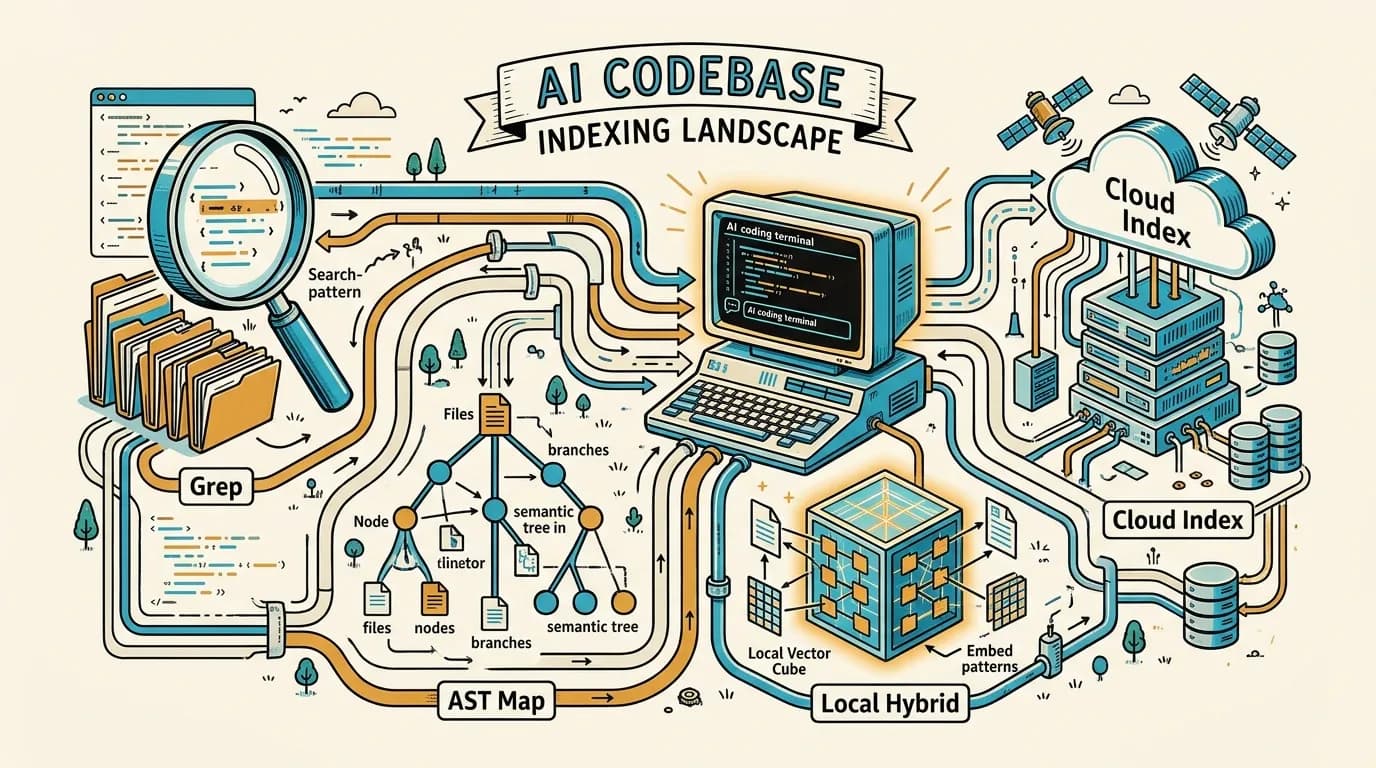
Tools like Claude Code rely on agentic search (Glob, Grep, and Read) out of the box rather than maintaining a persistent vector index. When prompt caching is warm, that works fine. When the cache is cold after an hour away, or right after a usage reset, the model has to rebuild its mental map of your repository from scratch.
There are several ways teams solve this today, from knowledge-graph servers like codebase-memory-mcp, lightweight CLI indexers like CocoIndex Code (ccc) and Ripwire, and symbol tools like Serena to built-in IDE indexing in Cursor and Kilo Code. I will save a full comparison of those tools and their caveats for a separate post.
For my own multi-harness workflow, I settled on SocratiCode (an AGPL-3.0 MCP server) because it combines hybrid semantic search with an AST-aware dependency and call graph. On VS Code's 2.45 million-line codebase, SocratiCode's vendor benchmarks report 61 percent less context burned, 84 percent fewer tool calls, and 37x faster answers compared to a grep-based agent. One caveat worth noting: those headline numbers trace back to SocratiCode's own documentation, and no independent third-party benchmark was found to verify them against other indexers.
In day-to-day practice, I do not measure exact token counts on every prompt. What I notice immediately is the opposite: whenever an agent strays from SocratiCode on a large repo and falls back to raw file reads, I hit my hourly or weekly limits way too early.
My Setup: Hosted Qdrant, Ollama Embeddings, and pnpm dlx
Getting started with SocratiCode locally is straightforward. If you run Ollama and Docker on your machine, the default local setup works cleanly right out of the box (though note that Docker cannot access host GPUs on macOS or Windows, so native Ollama is much faster there).
Because I work across multiple repositories and harnesses, I run a slightly different production setup:
- Hosted Qdrant (
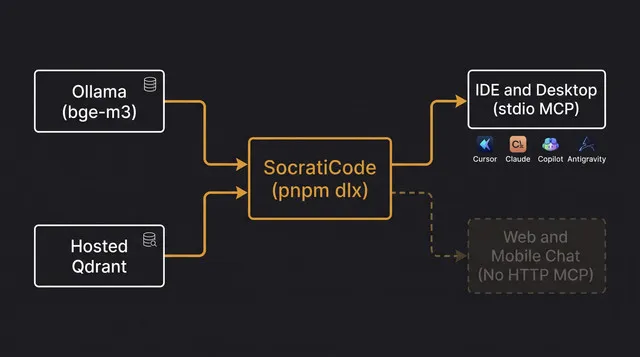
QDRANT_MODE=external): Instead of spinning up a separate local vector container per project, I point SocratiCode to a hosted Qdrant instance so indexes stay persistent and centralized. - Ollama (Local or Hosted Embeddings): I pair Qdrant with Ollama (local or hosted) using an embedding model like
bge-m3, though SocratiCode supports other Ollama and cloud embedding models too. It handles chunking, semantic indexing, and call-graph generation cleanly on top of whichever model you pick. - Run with
pnpm dlx, notnpx: If your repository usespnpm,npxoften trips over workspace resolution inside the project directory. Callingpnpm dlxdirectly with no extra arguments launches the MCP server cleanly every time.
Five Real-World Gotchas (And When to Skip SocratiCode)
SocratiCode saves a noticeable chunk of my token budget on large projects, but running it across multiple tools comes with real friction you should know about before adopting it.
1. The 15+ MCP Tool Prefix Tax on Small Repos
Every MCP tool definition sits at the front of your prompt prefix and gets billed on every cold cache write. SocratiCode exposes 15+ MCP tools, which is well worth the static footprint on a large multi-module codebase where blind grep wastes dozens of turns. On smaller repositories (under roughly 50,000 lines), native grep and glob tools have a much lower footprint and finish in two calls, or you can pair them with a lightweight in-repo fuzzy search index (which I will break down in a separate post).
2. .mcp.json Is Not Universal Across Harnesses
As I wrote in my multi-harness workflow post, I refuse to lock myself into a single AI coding tool. The annoying part with MCP is configuration parity. Copilot, Antigravity, and Claude respect the standard .mcp.json convention, while Kilo and several other harnesses expect their own config file format and schema. You still end up maintaining a bit of glue per tool.
3. Windows Drive-Letter Casing Creates Duplicate Indexes
If you develop on Windows, watch how your MCP clients pass the workspace path. Depending on the client, one harness passes C:\\Projects\\... while another passes c:\\Projects\\.... SocratiCode treats those as different paths, which silently creates duplicate indexes in Qdrant for the exact same repository.
4. Indexing Time and Artifact Staleness
Depending on the size of your codebase and how big a diff just landed, building the initial index and dependency graph can take a noticeable amount of time. SocratiCode can also write and manage project artifacts, but if you rely on them, you need to make sure they stay up to date as the code evolves.
5. Local stdio Works Everywhere, But I Miss HTTP MCP
Because SocratiCode runs as a local stdio MCP server, you can connect it not only to your IDE, but also to desktop apps like Claude Desktop or ChatGPT Desktop. That is huge when you want to step outside the editor and brainstorm architecture or product features with accurate codebase references.
What I genuinely miss as a founder is an HTTP (Streamable HTTP) MCP option. A lot of founder brainstorming happens in general web or mobile chat sessions away from my workstation. Without an HTTP MCP endpoint, you cannot plug your live codebase index into those general chats on the go.
Prompt-Cache Hygiene and Low-Tier Search Agents With High Thinking
Codebase indexing solves only half the token problem. The other half is prompt-cache discipline and which model tier runs the search.
Inside my .agents/ workflow, I pair two habits that cut cold-prompt waste dramatically:
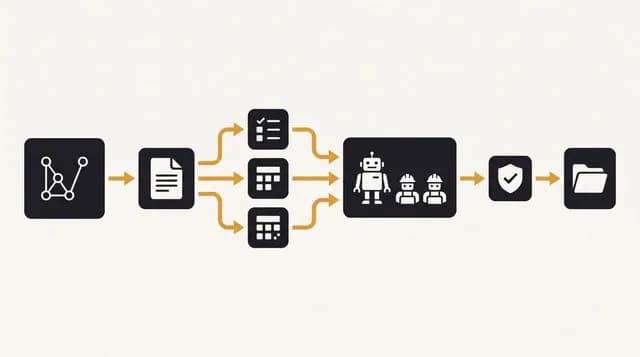
- Low-Tier Search Agents With High Thinking: Instead of letting my expensive primary orchestrator (Claude Opus, Claude Sonnet, or Codex) run 20 exploratory lookups, I delegate codebase research and search to a low-tier model with high thinking enabled (such as Claude Haiku or Gemini Flash with reasoning turned up). The low-tier agent chews through the raw search calls cheaply, reasons over the relationships, and returns a clean, structured summary to the main agent. Once the plan is locked, fast worker agents handle the mechanical edits.
- Protect Your Prompt Cache Prefix and Reset Early: On API and subagent runs, the default Anthropic prompt cache TTL is 5 minutes counted from request start, not response end, and a cold miss triggers a 1.25x write charge. Changing models, toggling MCP tools, or hitting
/compactafter a long idle break invalidates the prefix and forces a full re-write. Instead of waiting for 97 percent auto-compaction, write a short markdown handoff and run/clearat 40 to 60 percent context usage, and wrap noisytest,lint, andtypecheckcommands in concise CLI filters so raw stack traces do not bloat your cached window.
Frequently Asked Questions
How do I index a codebase for Claude Code or Cursor without burning tokens?
Use an MCP-based indexer like SocratiCode backed by Qdrant and Ollama on large repositories, or stick to native grep/glob plus a lightweight in-repo fuzzy index on smaller repos so you do not pay a 15-tool MCP prefix tax.
Can I use SocratiCode with hosted Qdrant and Ollama?
Yes. While local Docker plus Ollama works out of the box, SocratiCode supports QDRANT_MODE=external for a hosted Qdrant instance alongside local or remote Ollama (with embedding models like bge-m3 or other supported options).
Why does npx fail for SocratiCode inside a pnpm project?
Inside pnpm workspaces, npx can clash with local project resolution. Running pnpm dlx directly with no extra arguments avoids that conflict and starts the SocratiCode MCP server cleanly.
Should I use a cheaper model for codebase search?
Yes. Pairing a main orchestrator with a low-tier agent running high thinking for codebase search keeps raw file discovery out of your main context window and returns a concise architectural summary at a fraction of the cost.
Can I use SocratiCode in general web chat outside my IDE?
Not over the web yet. SocratiCode connects over local stdio, which works well with IDEs and desktop apps like Claude Desktop or ChatGPT Desktop, but it does not expose an HTTP MCP endpoint for browser or mobile chat sessions.
Insights, Playbooks, Tips & Kits
Want real patterns from my journey building and selling SaaS & apps. DIY playbooks, code-ready starter kits, and the operational moves that let you scale without the overhead. For builders who learn best from firsthand mistakes, real wins & experience.