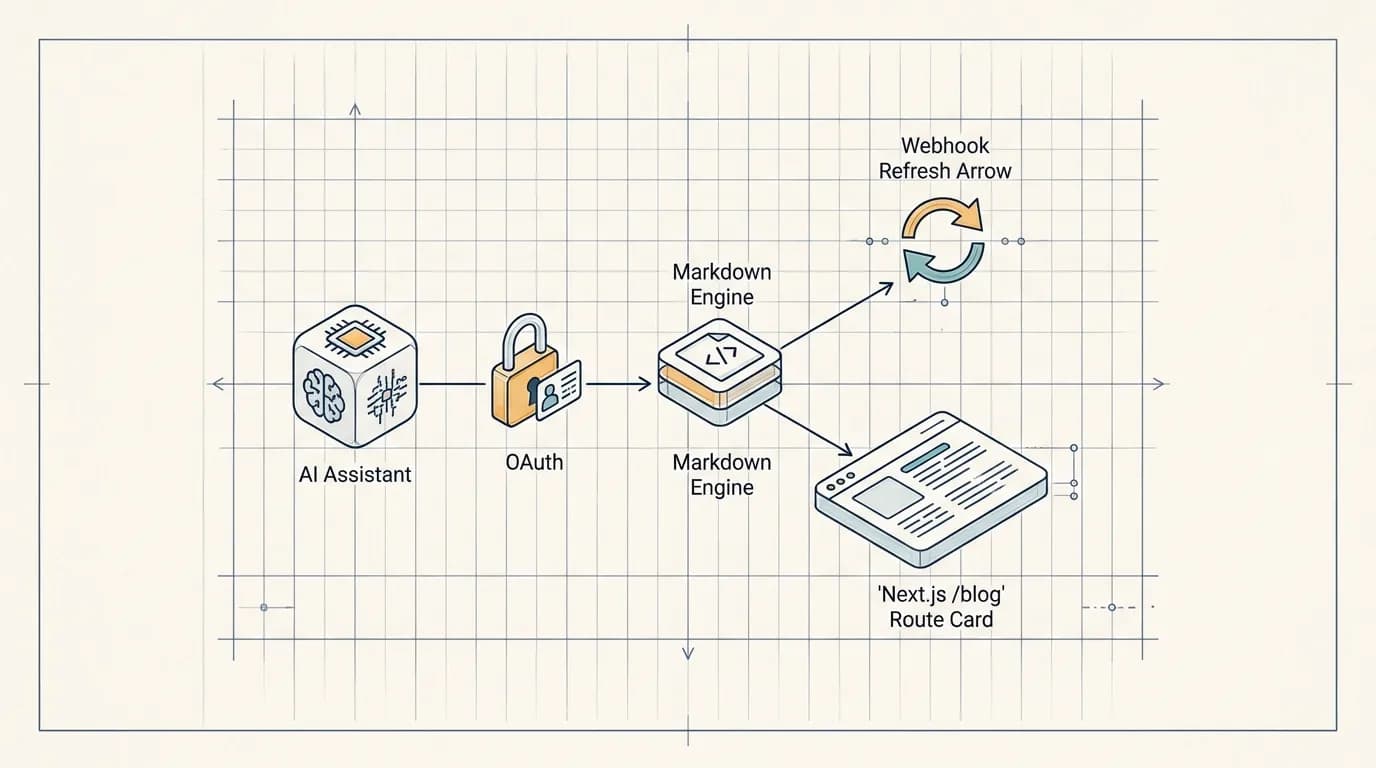

If you ship a web app with Next.js, React, Lovable, or v0, adding a /blog on your root domain is still weirdly painful. We watched builders hit the exact same wall over and over: you want your articles living at yourdomain.com/blog so your SEO and AI search visibility compound on your main domain, yet every off-the-shelf option forces an ugly trade-off [1, 2].
As we shared in Text Is Not Dying: Meet Our AI SEO and AEO Blogging Tool, owned text on your own domain is what AI assistants and search engines actually cite. The hard part has never been writing a few Markdown files. The hard part is getting a fast, cache-safe /blog into a modern Next.js App Router codebase without rebuilding a CMS from scratch.
Why Adding a Root-Domain Blog Still Breaks Down
In developer threads on adding a blog to Next.js, the same warning comes up repeatedly: hardcoding local MDX works fine for a solo developer until someone else needs to edit posts, preview drafts, or manage sitemaps and schema [3]. Most teams end up choosing among three compromises, and each one taxes a different part of your week:
- Installing WordPress on a subdomain or reverse proxy: You inherit plugin updates, security patching, and 60 to 80 HTTP requests per page load just to publish text [4].
- Wiring a generic headless CMS: Sanity, Strapi, and Payload give you flexible schemas, yet you still have to design post models, wire GROQ or REST queries, build your blog UI, and maintain Next.js Incremental Static Regeneration (ISR) webhooks yourself [1, 5].
- Paying for a drop-in SaaS blog: Plug-and-play tools solve setup speed, yet pricing has climbed sharply. DropInBlog moved its Solo plan from $49 to $99 per month ($79 per month billed yearly) [6], Superblog starts at $49 per month with no free tier [7], and inblog starts at $39 per month [8].
Major CMS platforms including Sanity, WordPress.com, Webflow, Strapi, Payload, and Superblog now ship MCP support, yet builders still end up either building frontend plumbing from scratch or paying $49 to $99 per month with MCP gated behind higher plans [7, 9, 10].
Comparing Your /blog Options Side by Side
Before picking an approach, it helps to compare what you actually own and maintain across each path.
| Option | Root /blog Setup | Frontend UI & SEO | AI / MCP Publishing | Typical Cost & Catch |
|---|---|---|---|---|
| DIY Git + MDX | Native in repo | You build templates, RSS, sitemaps | Manual commits or custom scripts | $0, but non-devs and previews stall [3] |
| WordPress | Subdomain or reverse proxy | Theme + SEO plugins | Plugin or paid plan | Plugin bloat and maintenance tax [4] |
| Generic Headless CMS | API fetch in Next.js | You build UI, TOC, and webhooks | Official MCP available [9] | Schema setup and stale ISR risk [5] |
| DropInBlog / Superblog | Proxy or script embed | Managed templates | Higher tiers only [7] | $39 to $99/month ongoing SaaS fee [6, 8] |
Simple Blogs (sbp) | Native Next.js / React packages | Overridable React components + TOC | OAuth2 MCP built for blogging | Bring your own AI stack, zero bloat |
We built Simple Blogs to sit right in that missing middle: a Markdown-first blog engine with OAuth2 MCP (so you research, draft, illustrate, and publish straight from the Claude, ChatGPT, or Cursor subscription you already pay for) paired with lightweight open-source packages that drop into your app.
If you are not on Next.js, our framework-free simple-blogs-client also works in plain React apps or via bare REST API calls. We will cover the React-only and bare API setups in separate guides; below is the complete Next.js App Router walkthrough.
Step-by-Step: Wiring Simple Blogs Into Next.js App Router
Right now, our rendering packages simple-blogs-client (0.1.0) and simple-blogs-next (0.1.2) are distributed as public release tarballs on mhbt/sbp while we prepare our move to npm. Because the repository is public, early adopters can install them today with zero auth tokens.
Requirements: Node.js 20.9 or newer, Next.js 16 with the App Router, React 19, pnpm, and Tailwind CSS v4 (if you use the default code block styling).
Step 1: Install the Release Tarballs and Tailwind Source
Pin both tarball URLs in your package.json and run pnpm install (simple-blogs-next declares simple-blogs-client as a peer dependency, so both must be present):
{
  "dependencies": {
    "simple-blogs-client": "https://github.com/mhbt/sbp/releases/download/v0.1.0/simple-blogs-client-0.1.0.tgz",
    "simple-blogs-next": "https://github.com/mhbt/sbp/releases/download/v0.1.2/simple-blogs-next-0.1.2.tgz"
  }
}
Tailwind CSS v4 does not scan node_modules by default, so code blocks lose their styling unless you add one @source line right after @import "tailwindcss"; in your global stylesheet [11]:
@import "tailwindcss";
@source "../../node_modules/simple-blogs-next/dist";
Step 2: Configure Environment Variables and the Server Provider
Add four variables to your server environment (use separate values for local development and production so local builds never read production content):
SIMPLE_BLOGS_API_URL=https://api.example.com
SIMPLE_BLOGS_SITE_SLUG=your-site-slug
SIMPLE_BLOGS_SITE_KEY=your-site-key
BLOG_REVALIDATE_SECRET=your-revalidate-secret
Next, create one server-only module (src/lib/blog/provider.ts). Keep SIMPLE_BLOGS_SITE_KEY strictly on the server and pass decorateRequest so Next.js receives { revalidate, tags } cache hints (blog, blog:posts, and blog:post:<slug>) on every fetch:
import { createBlogClient } from 'simple-blogs-client'
import { createNextCompile } from 'simple-blogs-next'

const compile = createNextCompile({
  h1: () => null,
})

export const blog = createBlogClient({
  baseUrl: process.env.SIMPLE_BLOGS_API_URL!,
  siteSlug: process.env.SIMPLE_BLOGS_SITE_SLUG!,
  siteKey: process.env.SIMPLE_BLOGS_SITE_KEY!,
  compile,
  ttlSeconds: { index: 86400, post: 1296000 },
  decorateRequest: (init, cache) => ({ ...init, next: cache }),
})
Notice createNextCompile({ h1: () => null }): it suppresses the body h1 because your page template already renders the post title. You can also override pre (CodeBlock), table (MdxTable, MdxThead, MdxTbody, MdxTr, MdxTh, MdxTd), or h2 and h3 to attach anchor IDs matching TocItem.slug (lowercase text, strip non-word/space/hyphen characters, replace whitespace runs with -, collapse repeated hyphens).
Step 3: Add the /blog Index and Dynamic Post Route
Your index page (src/app/blog/page.tsx) calls blog.getBlogPosts(), which automatically follows pagination cursors and sorts posts newest first:
import Link from 'next/link'
import { blog } from '@/lib/blog/provider'

export const revalidate = 3600

export default async function BlogIndexPage() {
  const posts = await blog.getBlogPosts()

  return (
    <ul>
      {posts.map((post) => (
        <li key={post.slug}>
          <Link href={`/blog/${post.slug}`}>{post.frontmatter.title}</Link>
        </li>
      ))}
    </ul>
  )
}
For individual posts (src/app/blog/[slug]/page.tsx), return an empty array [] from generateStaticParams() so next build makes zero network calls to the blog API. Handle all three outcomes of blog.resolveBlogPath(slug): post, redirect (301 or 302 when a published slug changes), and not_found:
import { notFound, permanentRedirect, redirect } from 'next/navigation'
import { blog } from '@/lib/blog/provider'

export const revalidate = 1296000

type Props = { params: Promise<{ slug: string }> }

export async function generateStaticParams() {
  return []
}

export default async function BlogPostPage({ params }: Props) {
  const { slug } = await params
  const resolution = await blog.resolveBlogPath(slug)

  if (resolution.kind === 'not_found') notFound()
  if (resolution.kind === 'redirect') {
    if (resolution.code === 301) permanentRedirect(resolution.location)
    redirect(resolution.location)
  }

  const { post } = resolution
  return (
    <article>
      <h1>{post.frontmatter.title}</h1>
      <div>{post.content}</div>
    </article>
  )
}
When you compute related posts or prev/next links inside the post page, pass { cache: 'postPage' } to getBlogPosts so individual article pages do not inherit the index cache tags unnecessarily.
Step 4: Wire On-Demand HMAC Cache Revalidation
Without a webhook, posts refresh when ttlSeconds expires. For instant updates when you publish, edit, or change a slug, expose POST /api/revalidate (src/app/api/revalidate/route.ts) to verify two headers:
x-simple-blogs-timestamp: Unix timestamp in seconds, verified within a 300-second window.x-simple-blogs-signature:sha256=<hex>, computed as the HMAC-SHA256 of${timestamp}.${rawBody}usingBLOG_REVALIDATE_SECRET.
Accept only allowlisted paths (/, /blog, /feed.xml, /atom.xml, /blog-sitemap.xml, /blog/<slug>) and allowlisted tags (blog, blog:posts, blog:feed, blog:post:<slug>), then clear them with revalidateTag(tag, { expire: 0 }) and revalidatePath(path).
Three Production Cache and Preview Traps We Solved
We run this exact sbp architecture in production on both muhammadhassaan.com and simpleintake.pro/blog. During our production rollout and debugging, we uncovered three subtle Next.js caching traps worth avoiding from day one.
- Do not set a blanket
Cache-Controlheader innext.config.js: A global/:path*s-maxage=3600rule overrides Next.js per-segment lifetimes and tells CDNs or browsers to cache404responses for an hour [12]. LeaveCache-Controlunset in productionnext.config.jsso Next.js ownss-maxage=86400on/blogands-maxage=1296000on posts, while404pages stay uncached (private, no-cache, no-store). - Do not read
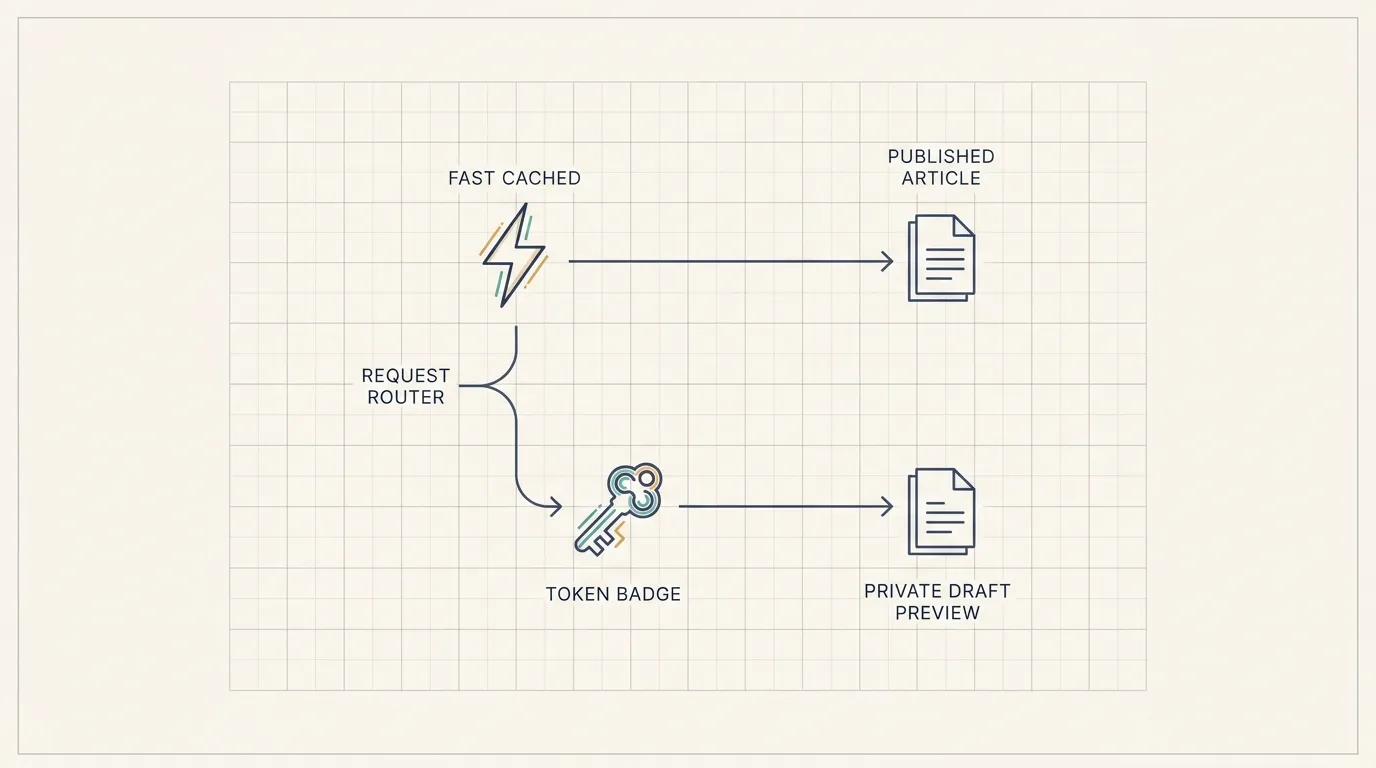
searchParamsinside/blog/[slug]for draft previews: ReadingsearchParamsopts the entire post route into dynamic rendering and destroys your ISR cache. Instead, keep/blog/[slug]fully cached and usesrc/proxy.tsto internally rewrite/blog/<slug>?preview=trueto an uncached/preview/blog/[slug]sibling route that fetches withcache: 'no-store'(with noAuthorizationsite key header) and returnsCache-Control: private, no-storeplusX-Robots-Tag: noindex, nofollow. - Avoid catch-all
proxy.tsmatchers: Matching/((?!api|_next/static|_next/image|favicon.ico).*)forces proxy logic onto every static HTML and_next/dataRSC payload request. Scope your matcher strictly to the blog routes and explicit redirect keys.
Quick Troubleshooting Reference
| Symptom | Cause and Fix |
|---|---|
| Code blocks look unstyled | Add @source "../../node_modules/simple-blogs-next/dist"; to your Tailwind v4 CSS [11]. |
API returns 401 on list/post | Check SIMPLE_BLOGS_SITE_KEY or confirm it is not leaking to client bundles. |
| Table of contents links miss | Ensure your h2/h3 slugify rule matches TocItem.slug exactly. |
Revalidation returns 401 | Verify BLOG_REVALIDATE_SECRET matches and server clock drift is under 300 seconds. |
| Posts stay stale after edits | Confirm decorateRequest attaches { next: cache } and /api/revalidate is wired. |
Try It Early or Reach Out
You can inspect the packages, full API reference, and consumer guide in mhbt/sbp today while we finalize the npm migration and early-access tiers.
If you want to connect your Next.js, React, Lovable, or v0 site to Simple Blogs early, message me directly on LinkedIn (that is the quickest way to reach me), or join the newsletter below to follow along as we publish the React-only, bare API, and rest of the series guides.
References
- Adding a blog to an existing HTML site in 2026 | r/webdev
- v0 Blog: 3 Ways to Add One to Your App | Superblog
- What is the best blog system in 2026? | r/nextjs
- Why I Am Ditching WordPress for Static Sites + AI | PerezBox
- What is better for SEO-Performance? Headless CMS to Next.js | r/SEO
- 6 Best DropInBlog Alternatives (With Real Prices) | BabyLoveGrowth
- Superblog Review | Uneed
- inblog vs Superblog: Blog Hosting Compared | inblog
- Best Sanity MCP Server: Official and Hosted Options | Ryze AI
- Top WordPress MCP Server Plugins | WPVibes
- Best practices for distributing React component libraries with Tailwind v4 | Tailwind CSS GitHub
- next.config.js headers and Cache-Control | Next.js Docs
Insights, Playbooks, Tips & Kits
Want real patterns from my journey building and selling SaaS & apps. DIY playbooks, code-ready starter kits, and the operational moves that let you scale without the overhead. For builders who learn best from firsthand mistakes, real wins & experience.